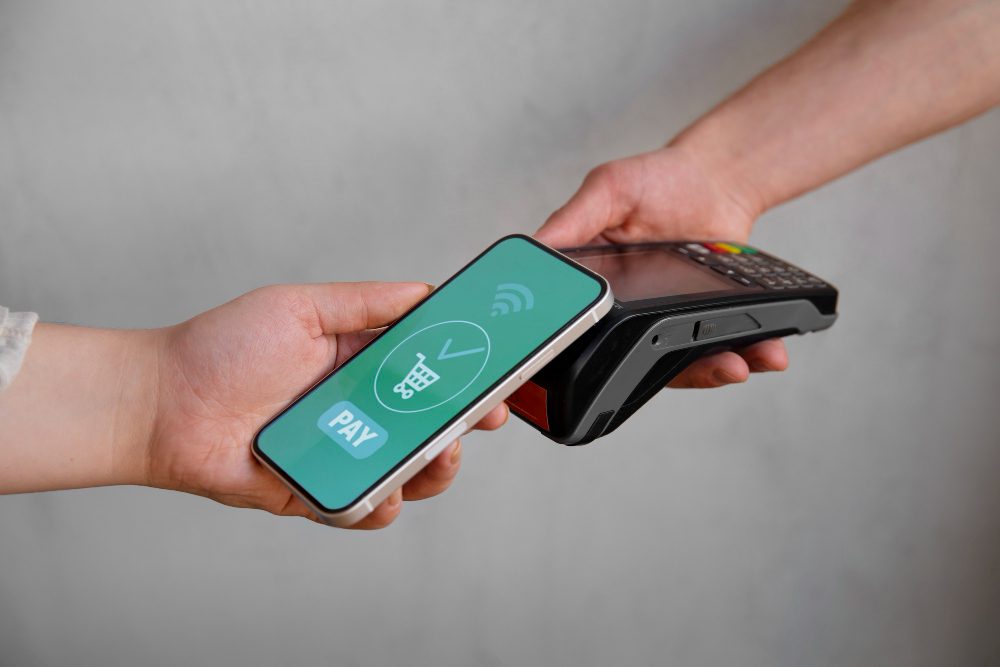
A phone-first POS is not just “POS on a smaller screen.” It changes the operating model: checkout can happen near the shelf, with one hand, under variable lighting, and sometimes under unstable connectivity. That means the best mobile cashier app is the one that survives those real conditions.
Most app comparisons stop at feature lists. Practical store owners should go deeper: thumb-friendly interface quality, camera barcode reliability, offline behavior transparency, and accessory stability through a full shift. This article evaluates mobile cashier apps from that field reality, not from polished screenshots.
Design for thumbs, not for desktop habits
A strong mobile cashier app redesigns workflow for handheld use. Buttons must be large, contrast must stay readable, and transitions between search, cart, and payment must be frictionless. Tiny controls and crowded layouts are expensive in high-traffic periods.
Test while standing and moving, not while seated. A practical interface should remain easy when one hand holds a product and the other holds the device.
- Primary payment action must be obvious and reachable quickly.
- Search should tolerate partial names and spelling variance.
- Return flow should be discoverable without menu hunting.
- Error prompts should suggest corrective next steps.
Camera barcode scanning: practical truth test
Camera scanning is attractive because it reduces hardware dependency, but only if reliability is high. Test mixed packaging, faded labels, different angles, and medium lighting. Reliable apps scan quickly without repeated retries.
Then inspect post-scan behavior: instant item add, clear feedback, and smooth quantity edits. These details directly affect throughput.
What good camera scanning looks like
- Sub-second scan on common product labels.
- Stable performance on mildly worn barcodes.
- No freeze during repeated scan bursts.
- Clear haptic or sound confirmation.
Offline reality on smartphones
Do not accept a generic “offline supported” claim. Ask exact scope: what transactions continue offline, what controls are restricted, how conflicts are resolved, and how sync state is shown to staff. Clarity here prevents reconciliation surprises later.
Run planned outage simulations during pilot. Process real transactions while disconnected, reconnect, and verify logs, stock movement, and report integrity.
- Create two offline sales and verify clean sync later.
- Test discount behavior during temporary disconnection.
- Try device handover during partial connectivity recovery.
- Audit daily reporting after reconnect.
Pocket POS advantage vs pocket POS risk
Mobile checkout can increase conversion by closing sales where intent happens. Staff can assist, answer questions, and complete payment without forcing a trip to a fixed counter.
But mobility without policy creates risk. Define role permissions, session handling, and physical device custody procedures. Phone-first works best when software discipline and store discipline move together.
- Use dedicated business devices for checkout.
- Enable rapid secure unlock and user session control.
- Set role-based discount and void limits.
- Track shift handover with explicit device ownership.
Accessories decide shift continuity
In phone-first setups, app quality and accessory quality are inseparable. Printer pairing, charging policy, battery backup, and mounting ergonomics can make or break continuity.
Run full-shift tests with realistic receipt volume. Watch for pairing drops, print lag, and battery drain behavior. Those are operational truths that marketing pages rarely reveal.
Three tiers of mobile cashier apps
Not all mobile POS apps serve the same mission. Some are lightweight invoicing tools. Some are full small-retail operators with stock, permissions, and shift controls. Others are branch-oriented platforms. Comparing these tiers without context leads to bad decisions.
Match tier to stage. A tiny shop can overpay for branch complexity. A fast-growing shop can outgrow minimal tools in weeks.
- Entry tier: quick sales and basic reporting.
- Operational tier: inventory, returns, roles, and stronger controls.
- Expansion tier: broader device governance and deeper analytics.
Frequent mistakes in phone-first rollouts
Using personal phones for production checkout is a recurring failure pattern. Notification noise, mixed usage, and inconsistent settings reduce reliability and accountability.
Another costly mistake is skipping offline drill training. The first real outage should not be the first time your team discovers process gaps.
Practical verdict for mobile cashier selection
The best mobile cashier app for stores is the one that proves speed, scan reliability, and offline clarity in a realistic week of operations. Evaluate in movement, in rush periods, and with actual accessories.
At shortlist time, test Cashiery as one of your phone-first candidates under the same field criteria. Keep whichever option gives your team the most stable flow with the least daily friction.
After-launch optimization checklist
Supplemental detail 1.1: Track three weekly metrics: transaction time, first-attempt scan success, and printer interruption count. This keeps post-launch improvement objective and focused.
Supplemental detail 1.2: Standardize device settings across staff units. Consistent UI behavior reduces handover errors and shortens training cycles.
Supplemental detail 1.3: Publish a one-page outage playbook for connectivity loss, printer failure, and battery emergencies. Clarity under pressure protects customer experience.
Supplemental detail 1.4: Invest in protective cases and reliable mounts; physical resilience is operational resilience.
Supplemental detail 1.5: Review role permissions monthly, especially for discounts and voids, to keep mobility from weakening control.
Supplemental detail 1.6: Phone-first POS succeeds when app, hardware, and process discipline are treated as one system.
After-launch optimization checklist - Follow-up 2
Supplemental detail 2.1: Track three weekly metrics: transaction time, first-attempt scan success, and printer interruption count. This keeps post-launch improvement objective and focused.
Supplemental detail 2.2: Standardize device settings across staff units. Consistent UI behavior reduces handover errors and shortens training cycles.
Supplemental detail 2.3: Publish a one-page outage playbook for connectivity loss, printer failure, and battery emergencies. Clarity under pressure protects customer experience.
Supplemental detail 2.4: Invest in protective cases and reliable mounts; physical resilience is operational resilience.
Supplemental detail 2.5: Review role permissions monthly, especially for discounts and voids, to keep mobility from weakening control.
Supplemental detail 2.6: Phone-first POS succeeds when app, hardware, and process discipline are treated as one system.
After-launch optimization checklist - Follow-up 3
Supplemental detail 3.1: Track three weekly metrics: transaction time, first-attempt scan success, and printer interruption count. This keeps post-launch improvement objective and focused.
Supplemental detail 3.2: Standardize device settings across staff units. Consistent UI behavior reduces handover errors and shortens training cycles.
Supplemental detail 3.3: Publish a one-page outage playbook for connectivity loss, printer failure, and battery emergencies. Clarity under pressure protects customer experience.
Supplemental detail 3.4: Invest in protective cases and reliable mounts; physical resilience is operational resilience.
Supplemental detail 3.5: Review role permissions monthly, especially for discounts and voids, to keep mobility from weakening control.
Supplemental detail 3.6: Phone-first POS succeeds when app, hardware, and process discipline are treated as one system.
After-launch optimization checklist - Follow-up 4
Supplemental detail 4.1: Track three weekly metrics: transaction time, first-attempt scan success, and printer interruption count. This keeps post-launch improvement objective and focused.
Supplemental detail 4.2: Standardize device settings across staff units. Consistent UI behavior reduces handover errors and shortens training cycles.
Supplemental detail 4.3: Publish a one-page outage playbook for connectivity loss, printer failure, and battery emergencies. Clarity under pressure protects customer experience.
Supplemental detail 4.4: Invest in protective cases and reliable mounts; physical resilience is operational resilience.
Supplemental detail 4.5: Review role permissions monthly, especially for discounts and voids, to keep mobility from weakening control.
Supplemental detail 4.6: Phone-first POS succeeds when app, hardware, and process discipline are treated as one system.
After-launch optimization checklist - Follow-up 5
Supplemental detail 5.1: Track three weekly metrics: transaction time, first-attempt scan success, and printer interruption count. This keeps post-launch improvement objective and focused.
Supplemental detail 5.2: Standardize device settings across staff units. Consistent UI behavior reduces handover errors and shortens training cycles.
Supplemental detail 5.3: Publish a one-page outage playbook for connectivity loss, printer failure, and battery emergencies. Clarity under pressure protects customer experience.
Supplemental detail 5.4: Invest in protective cases and reliable mounts; physical resilience is operational resilience.
Supplemental detail 5.5: Review role permissions monthly, especially for discounts and voids, to keep mobility from weakening control.
Supplemental detail 5.6: Phone-first POS succeeds when app, hardware, and process discipline are treated as one system.